You want to use AI, but you would rather not send your customer data, code or internal documents to a cloud service. Then running AI locally is a logical step. You run a language model (LLM) on your own hardware, at the office or at home. But what AI hardware do you need for that? In this guide you will learn what really matters: memory, memory bandwidth, quantization, power consumption and cooling. After that you will find a buying guide for each situation, the AI hardware from our collection and answers to frequently asked questions.
Why run AI locally?
If you keep your crypto in a hardware wallet, the principle will sound familiar: you stay in control and your data stays with you. Local AI works the same way.
Privacy
When the model runs on your own hardware, your prompts, documents and results do not need to leave your own network. That is convenient when you work with customer data, source code, contracts or other confidential information.
Costs
With a cloud API you usually pay per use or per subscription. With your own hardware you make a one-time investment and then mainly pay for electricity. Whether that works out cheaper depends on how intensively you use AI. For teams that use AI heavily every day, it can be worth doing the maths.
Control
You choose which model you run, which version and how you configure it. You do not depend on changes to the terms, models or availability of an external service. And you can also fine-tune models or connect them to your own documents.
What matters in AI hardware?
With a regular PC you often look at the processor. With AI hardware, other specifications are more important. These are the five points that make the difference.
1. Memory (VRAM) determines how large your model can be
A language model consists of billions of parameters. They have to fit in the memory of your GPU (VRAM) or in the shared memory of your system. You can roughly calculate how much memory a model needs with: number of parameters × number of bytes per parameter.
NVIDIA gives the example of a model with 7 billion parameters in 16-bit precision (2 bytes per parameter): it takes up about 14 GB of memory, just for the model weights (NVIDIA). On top of that comes memory for the so-called KV cache. It grows with the length of your text (context) and the number of simultaneous users.
This is what that calculation looks like for a few model sizes (weights only, without KV cache and overhead):
| Model size | 16-bit (2 bytes) | 8-bit (1 byte) | 4-bit (0.5 byte) |
|---|---|---|---|
| 7 billion parameters | approx. 14 GB | approx. 7 GB | approx. 3.5 GB |
| 30 billion parameters | approx. 60 GB | approx. 30 GB | approx. 15 GB |
| 70 billion parameters | approx. 140 GB | approx. 70 GB | approx. 35 GB |
In practice, leave room for the KV cache and the software itself. A model that only just fits in your memory leaves little room for long texts.
2. Quantization: the same model, less memory
Quantization means storing the numbers in a model with less precision, for example with 8 or 4 bits instead of 16 bits. According to Hugging Face, 8-bit quantization halves memory usage (Hugging Face). With 4 bits the model becomes even smaller. Popular tools such as llama.cpp support several levels, from 1.5 to 8 bits.
The downside: the more aggressively you quantize, the greater the chance that the quality of the answers drops slightly. Quantization therefore lets you run a larger model on the same hardware, but it is always a trade-off between memory and quality.
3. Memory bandwidth determines the speed
When a model generates text, it produces one word fragment (token) at a time. At every step, the weights have to be read from memory. NVIDIA therefore describes this generation as a process that is often limited by memory bandwidth, not by compute (NVIDIA).
Put simply: memory determines what fits, bandwidth determines how fast it runs. A system with a lot of memory but lower bandwidth can load large models, but generates each token more slowly than a card with much higher bandwidth.
4. Power consumption and cooling
Professional AI cards consume up to 600 W. That calls for a heavy power supply, the right power connector and good cooling. Pay particular attention to the difference between active cooling (with its own fan, suitable for a workstation) and passive cooling (without a fan, dependent on the strong airflow in a server). A passively cooled card is not suitable for a regular PC case.
5. Workstation or server?
- Workstation: a powerful desktop under or on your desk. You work on it directly, with monitors attached. Cards with active cooling and DisplayPort outputs fit well here.
- Server: a system in a server rack or data centre, often shared by a team. This is where passively cooled cards belong, possibly several side by side.
- Compact AI computer: a ready-made system with CPU, GPU and a lot of shared memory in one small enclosure. Convenient if you do not want to build a workstation.
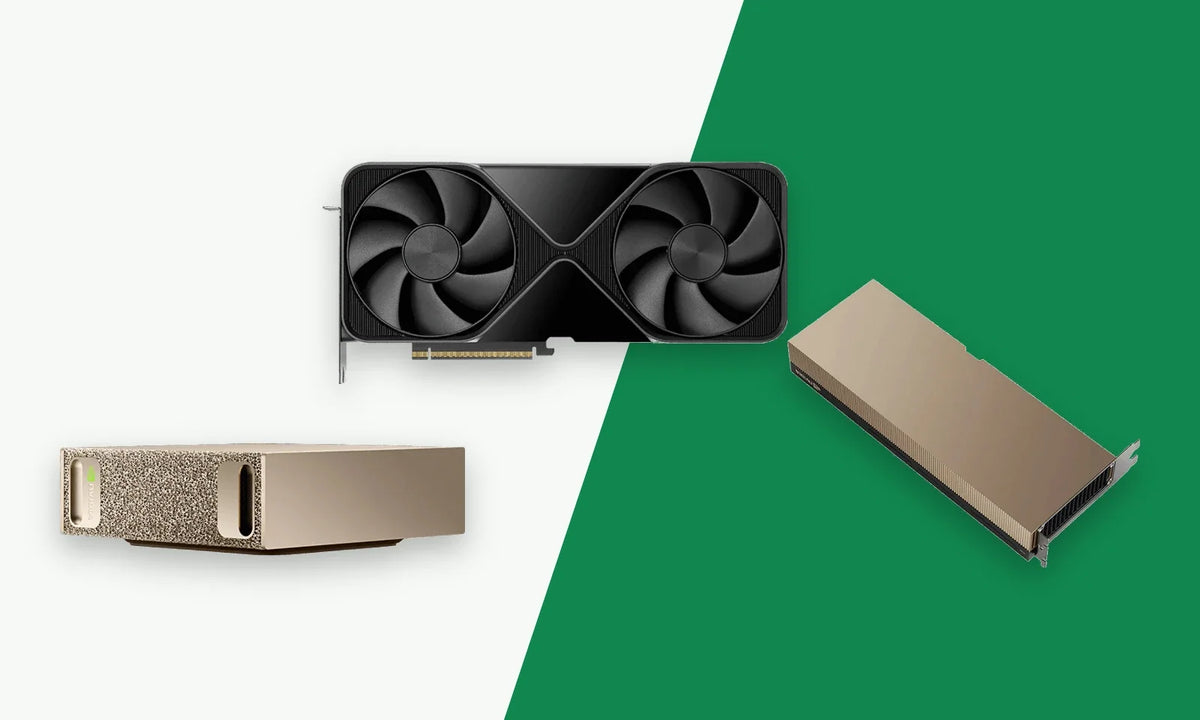
Buying guide: which AI hardware suits you?
| Your situation | Look at |
|---|---|
| You want a complete, compact AI system on your desk to test and develop large models locally | NVIDIA DGX Spark |
| You want to run even larger models with two compact systems | Two DGX Sparks + QSFP cable |
| You have a workstation and want maximum performance from one card | RTX PRO 6000 Blackwell Workstation Edition |
| You want several cards in one workstation, or lower power consumption per card | RTX PRO 6000 Blackwell Max-Q |
| 84 GB of GPU memory in a workstation is enough for you | RTX PRO 5500 Blackwell 84GB |
| You are building an AI server with server airflow | RTX PRO 6000 Blackwell Server Edition |
| You need maximum memory bandwidth and want to link GPUs in a server | H200 NVL 141GB |
Not sure? Contact us and tell us which models and applications you have in mind.
The AI hardware in our collection
Below you will find the products from our AI Hardware & Servers collection, with the specifications that matter most for running AI locally.
NVIDIA DGX Spark Blackwell
The DGX Spark is a compact AI computer measuring 150 × 150 × 50.5 mm. Inside is the NVIDIA GB10 Grace Blackwell Superchip with a 20-core Arm processor and 128 GB of LPDDR5x unified memory, shared between CPU and GPU. According to NVIDIA, it runs AI models of up to 200 billion parameters, and up to 405 billion parameters with two linked systems (NVIDIA).
- Up to 1 PFLOP of AI performance (FP4, with sparsity)
- Memory bandwidth: 273 GB/s
- 4 TB NVMe storage with self-encryption
- ConnectX-7 with 2× QSFP (up to 200 Gb/s), 10 GbE and Wi-Fi 7
- 240 W external adapter
- Supplied with NVIDIA DGX OS (based on Ubuntu)
Good to know: because of the Arm architecture, not all x86 software works. And the bandwidth is lower than that of the separate GPUs below. The DGX Spark therefore mainly excels at loading large models in a small, efficient system.
PNY DGX Spark Bundle Cable QSFP to QSFP 112G (0.5 m)
With this QSFP cable you link two DGX Sparks via their ConnectX-7 ports. The cable supports up to 112G and is 50 cm long, so the two systems sit right next to each other.
PNY NVIDIA RTX PRO 6000 Blackwell Workstation Edition
The RTX PRO 6000 Workstation Edition is the most powerful workstation card in the collection.
- 96 GB GDDR7 with ECC (512-bit)
- Memory bandwidth: 1792 GB/s
- 4000 AI TOPS (FP4, with sparsity) and 24,064 CUDA cores
- Active cooling (double flow-through)
- 600 W total board power, 16-pin power connector
- Multi-Instance GPU: up to four separate instances
Good to know: you need a heavy power supply and a spacious case; the card is 12 inches long and dual-slot.
PNY NVIDIA RTX PRO 6000 Blackwell Max-Q Workstation Edition
The Max-Q version has the same memory, but a power consumption of 300 W.
- 96 GB GDDR7 with ECC (512-bit)
- Memory bandwidth: 1792 GB/s
- 3511 AI TOPS (FP4, with sparsity)
- 300 W total board power, active cooling, dual-slot
Good to know: peak performance is lower than that of the 600 W version. The lower power consumption does make it easier to fit several cards in one system.
PNY NVIDIA RTX PRO 5500 Blackwell 84GB
The RTX PRO 5500 is a workstation card for those for whom 84 GB of GPU memory is enough.
- 84 GB GDDR7 with ECC (416-bit)
- Memory bandwidth: 1398 GB/s
- 21,760 CUDA cores
- Active cooling, up to 600 W
- MIG: two isolated instances of 42 GB
Good to know: the card requires a lot of system RAM: at least 84 GB, 168 GB recommended.
PNY NVIDIA RTX PRO 6000 Blackwell Server Edition 96GB
The Server Edition is made for servers with strong airflow.
- 96 GB GDDR7 with ECC (512-bit)
- Memory bandwidth: 1597 GB/s
- 4 PFLOPS FP4 (peak)
- Passive cooling, 400–600 W (configurable)
Good to know: without server airflow this card is not cooled properly. For a regular workstation, choose a version with active cooling.
PNY NVIDIA H200 NVL 141GB
The H200 NVL is a server card based on the NVIDIA Hopper architecture, with the most and fastest memory in the collection.
- 141 GB HBM3e
- Memory bandwidth: 4.8 TB/s
- NVLink bridge for 2 or 4 GPUs, up to 900 GB/s per GPU
- MIG: up to seven isolated instances
- Passively cooled, up to 600 W
Good to know: this card only works in a suitable AI or HPC server system, not in a regular PC.
Ordering for your business
Buying AI hardware for your company? On the business purchases page you can read how ordering as a business works at Cryptoken. Do you have questions about which card or system suits your application, or would you like to order several units? Contact us.
Frequently asked questions
How much memory do I need to run an AI model locally?
Roughly calculate the number of parameters times the number of bytes per parameter. A model with 7 billion parameters in 16-bit takes up about 14 GB, just for the weights. Also leave room for the KV cache, which grows with the length of your text.
What is more important: memory or compute?
For running language models, memory is usually the first limit you hit: if the model does not fit, it will not run well. After that, memory bandwidth mainly determines how quickly text is generated. Compute plays a bigger role in training and with many simultaneous users.
Does quantization reduce quality?
It can. With 8 bits the difference is often small; with more aggressive quantization the chance of quality loss increases. So test with your own tasks which level is good enough for you.
Can I put a server card in my workstation?
Preferably not. The RTX PRO 6000 Server Edition and the H200 NVL are passively cooled and need the strong airflow of a server. For a workstation, choose a card with active cooling, such as the Workstation Edition, the Max-Q or the RTX PRO 5500.
Does my data really stay local?
The model runs on your own hardware, so your prompts and documents do not need to go to an external AI service. Whether any data still leaves your network depends on the software you use and how you configure it. So check the settings of your tools.
Conclusion
Running AI locally gives you privacy, predictable costs and full control over your models. When choosing AI hardware, look at memory first: it determines how large your model can be. Then look at memory bandwidth for speed, and at power consumption and cooling to decide whether you need a workstation, a server or a compact system. Looking for a complete system for your desk? Take a look at the DGX Spark. Want to expand your workstation or server? You will find the right cards in our AI Hardware & Servers collection.